Install the switch — 2 Switch + 2 Plug
Before you start
- Switch off the main power at the MCB and check it is off with a voltage tester. Keep it off until the glass is fitted.
- Have a qualified electrician install it. Use insulated tools and gloves, keep the work area dry and label the wires.
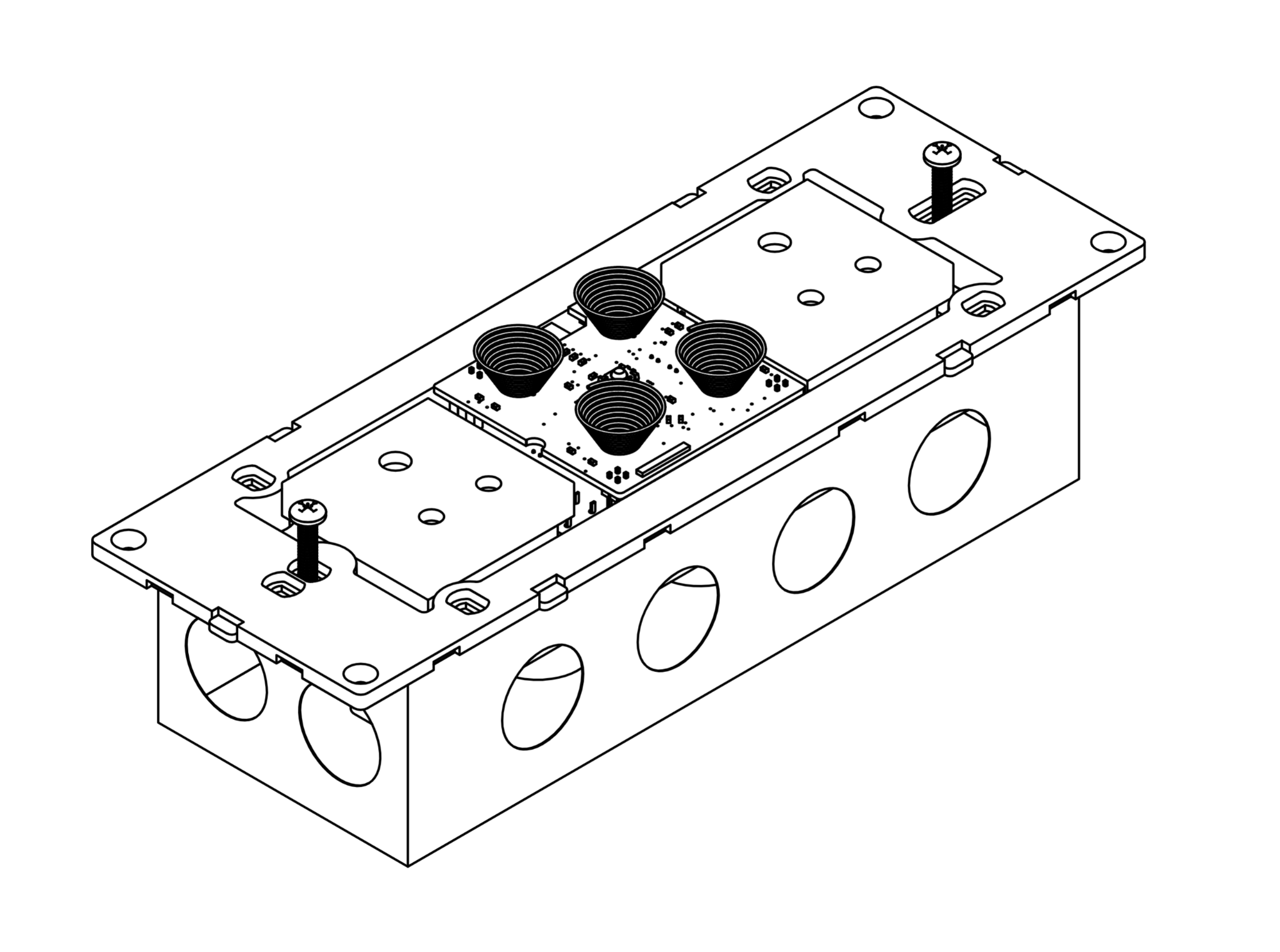
- You need an 8 module metal box, 233mm x 78mm (9"x3"). Use a flat-headed screwdriver and the console screws provided.
- Light switches (L): up to 6A resistive each. One light or fan per switch, never in series or parallel. LED/CFL: max 40W per switch.
- LED strips: 240V mains strips only, never 12V or 24V. Sockets: up to 6A each, each with an earth wire.
- Stuck on this step? WhatsApp us a photo
Remove the front glass
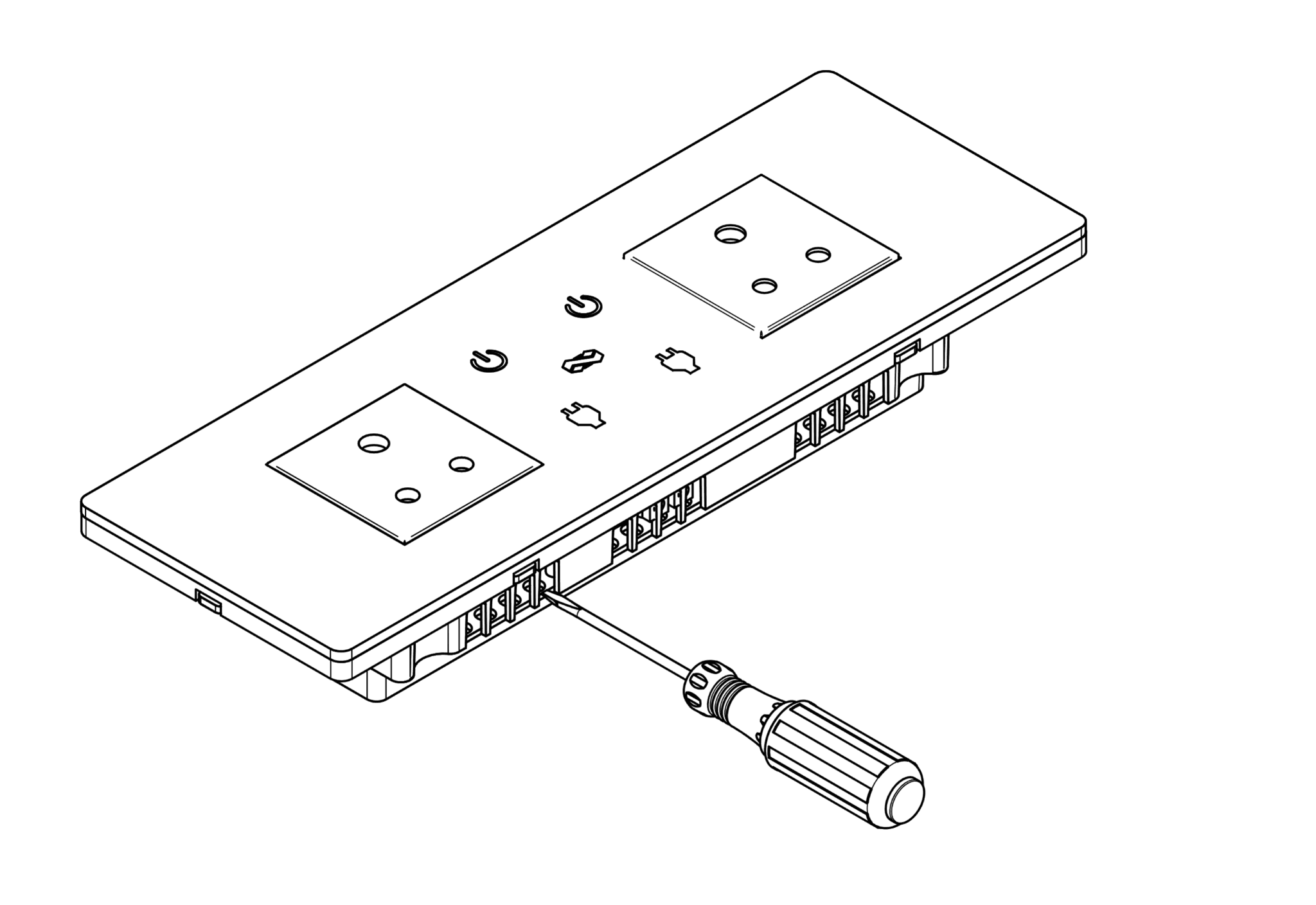
Use a flat-headed screwdriver to gently lift the front glass panel off the module.
Do not touch the circuit board.
- Stuck on this step? WhatsApp us a photo
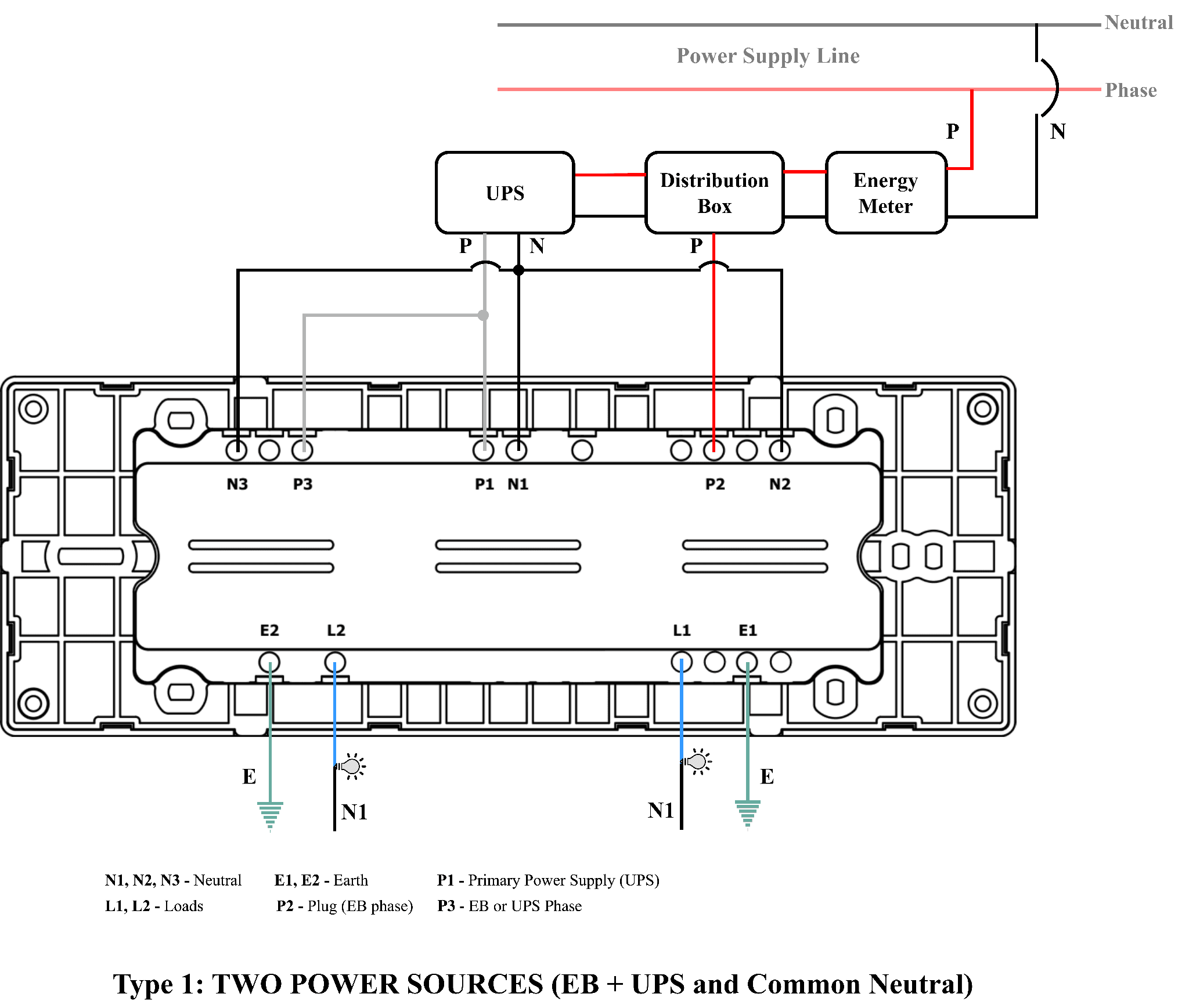
Connect neutral and power
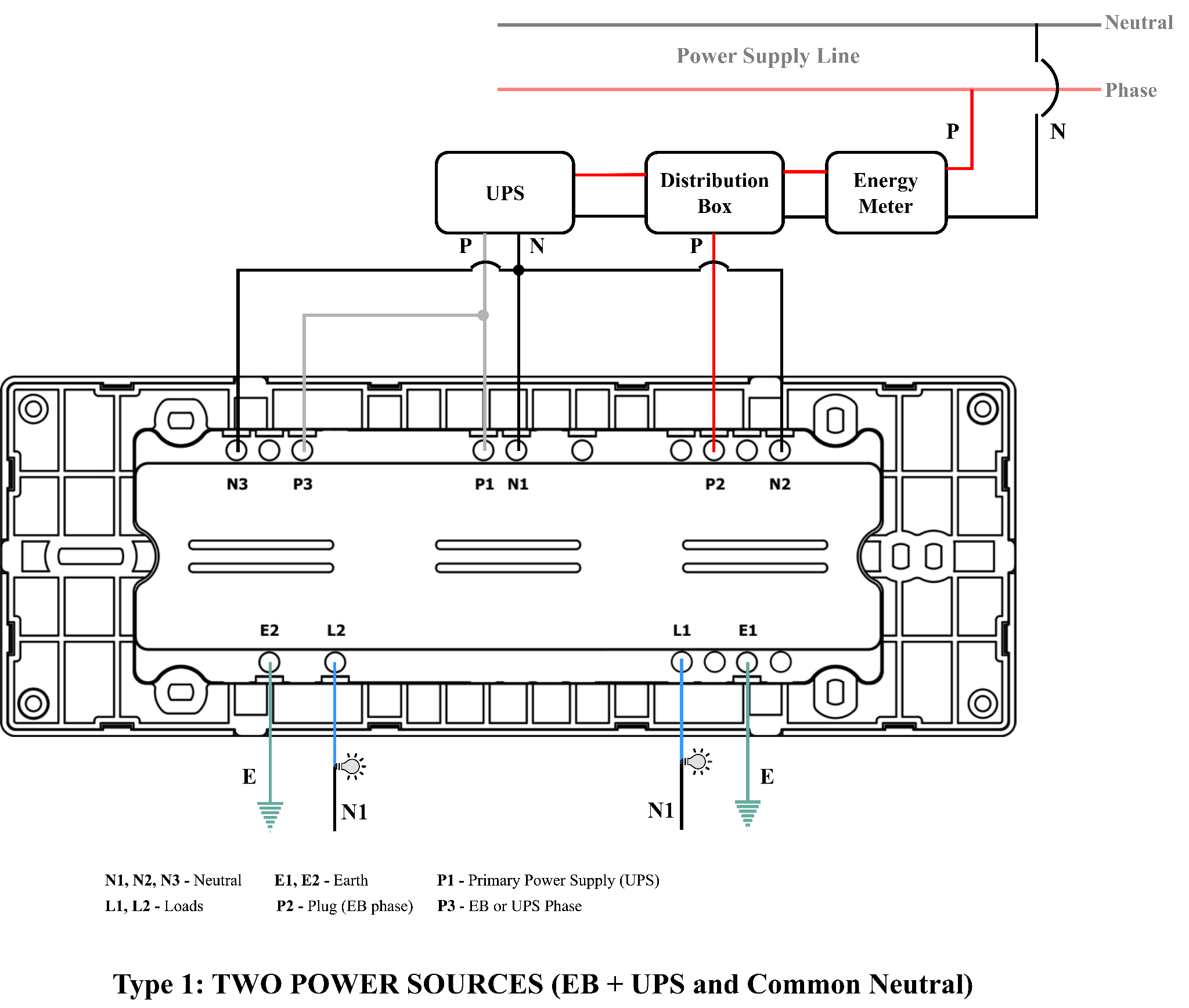
Follow the wiring drawing. Connect neutral to N, and phase from UPS or EB to P1.
- Stuck on this step? WhatsApp us a photo
Connect your lights and appliances
Connect each load wire to its terminal: L1 and L2 = your lights.
P1 powers the switch, L1 and L2.
- Stuck on this step? WhatsApp us a photo
Connect the sockets
Connect socket 1's supply to P2 and socket 2's supply to P3. Connect an earth wire to E1 and E2.
Each socket can have its own EB or UPS phase, or you can loop P2 and P3 from P1. Each socket takes up to 6A.
- Stuck on this step? WhatsApp us a photo
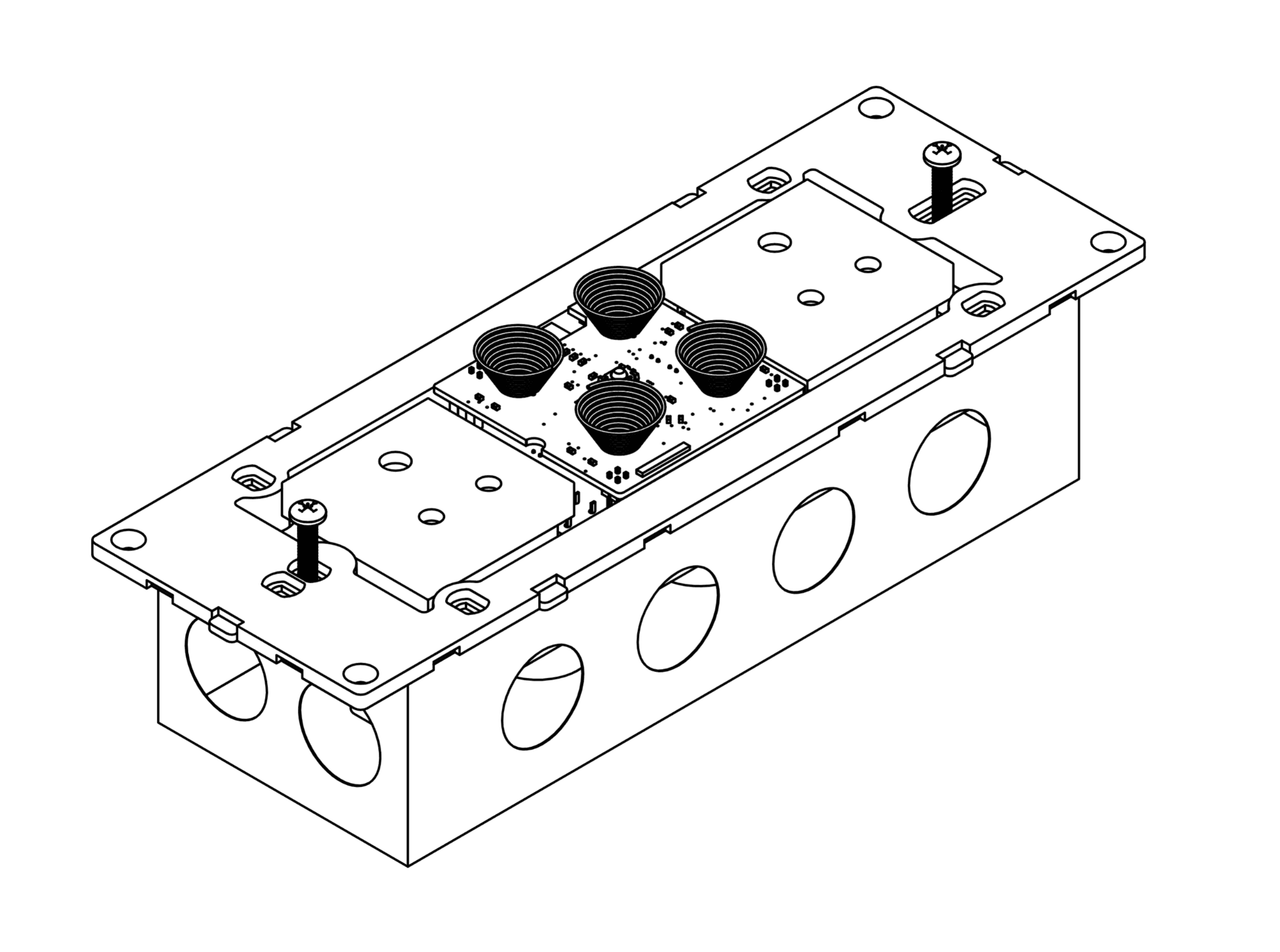
Fix the module to the box
Use the console screws from the box to fix the module to the 8 module metal box.
Before you fix it, check every copper wire end is tightly twisted in its terminal. Tape any exposed joints.
- Stuck on this step? WhatsApp us a photo
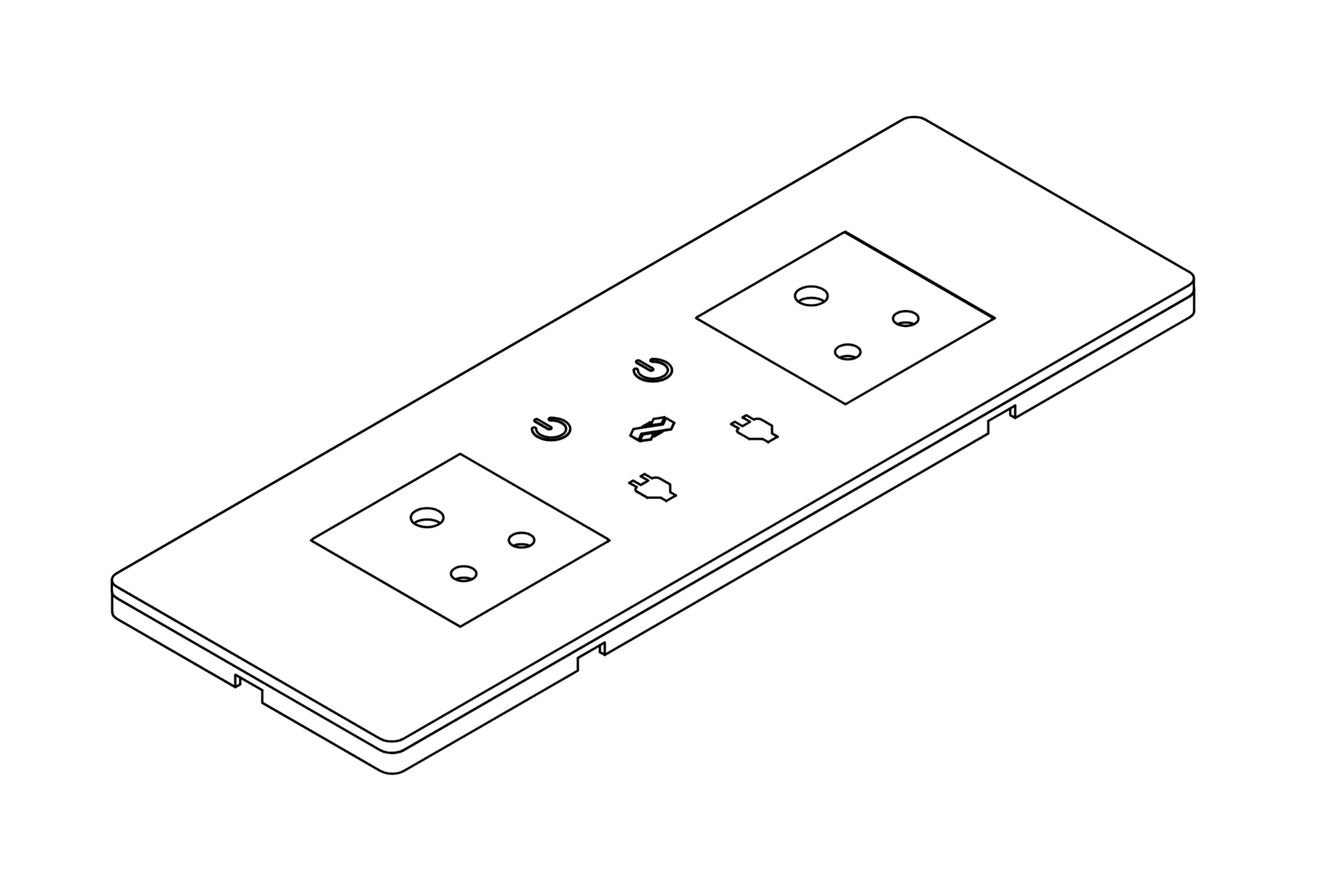
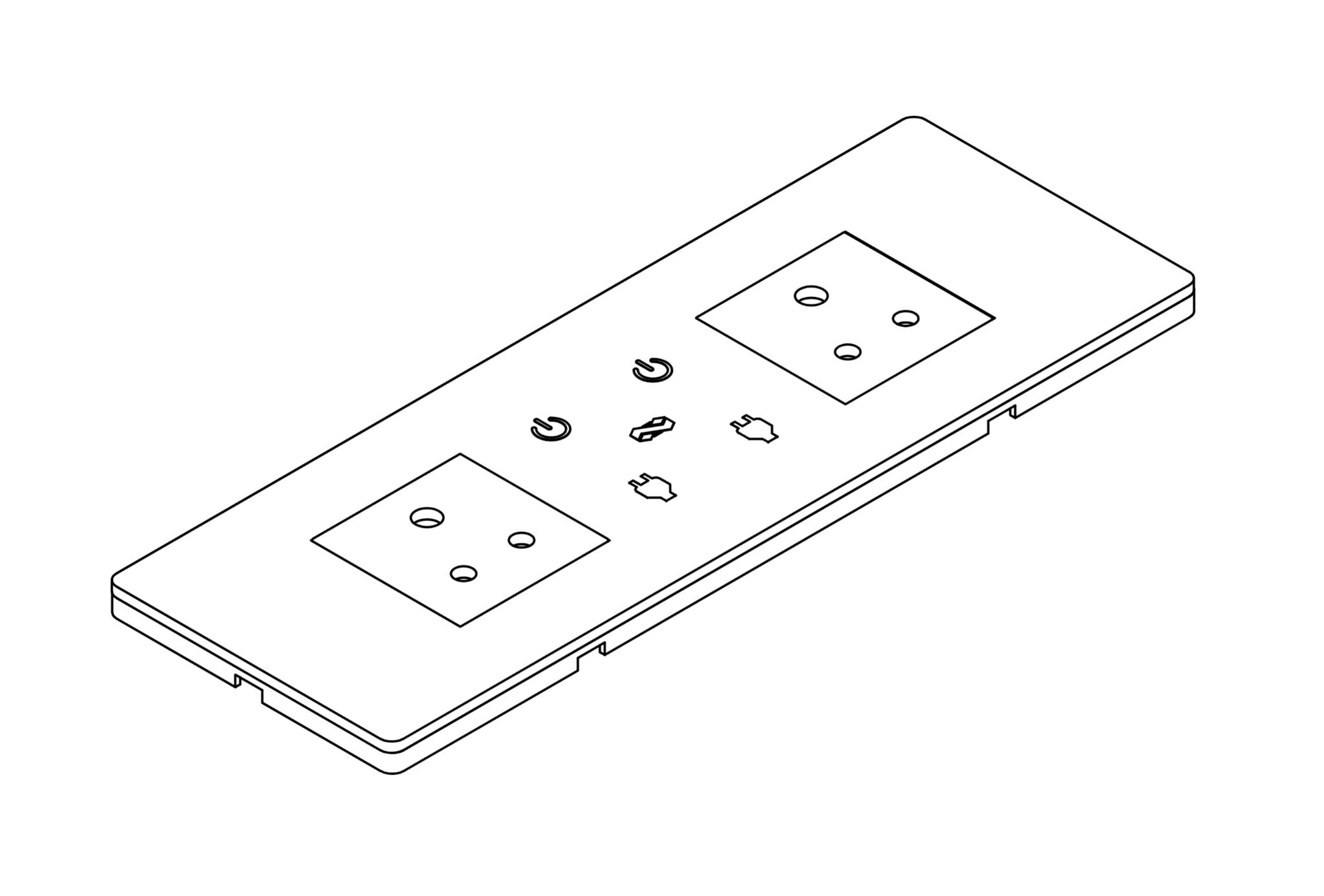
Fit the glass and switch on
Line up the glass and press it until all four corners lock. Then switch the main power back on.
If touch does not respond after you fit the glass, switch the main power off and on again. Fitting the glass changes the touch capacitance.