Connect to the iotics app — In-wall 4 Switch
Before you start
- The app pairs your module with your home Wi-Fi, so you can control it from anywhere.
- Your Wi-Fi must broadcast a 2.4 GHz signal. The module does not work on 5 GHz.
- Download the iotics app from the App Store or Play Store.
- Stuck on this step? WhatsApp us a photo
Put the module in setup mode
Turn wall switch 1 on and off five times within 20 seconds, until you hear the buzzer.
Wall switch 1 is the switch wired to S1.
- Stuck on this step? WhatsApp us a photo
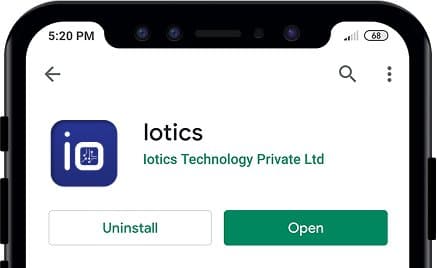
Install the iotics app
Install iotics from the App Store or Play Store, then open it.
- Stuck on this step? WhatsApp us a photo
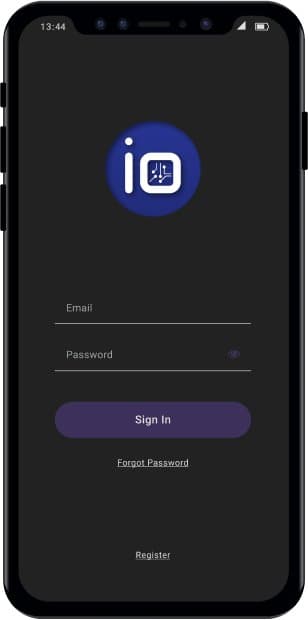
Register or sign in
New to iotics? Tap Register, type your email and choose a secure password. Already have an account? Sign in.
- Stuck on this step? WhatsApp us a photo
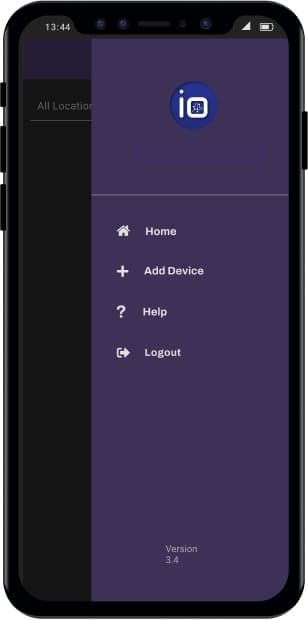
Tap Add Device
Tap the menu (☰) at the top right, then tap Add Device.
- Stuck on this step? WhatsApp us a photo
Choose your module and finish
Choose your module, for example In-Wall, and follow the steps in the app to connect it to your Wi-Fi.